Technology
What is JioPC? From TV to Affordable PC, and How to Get Started
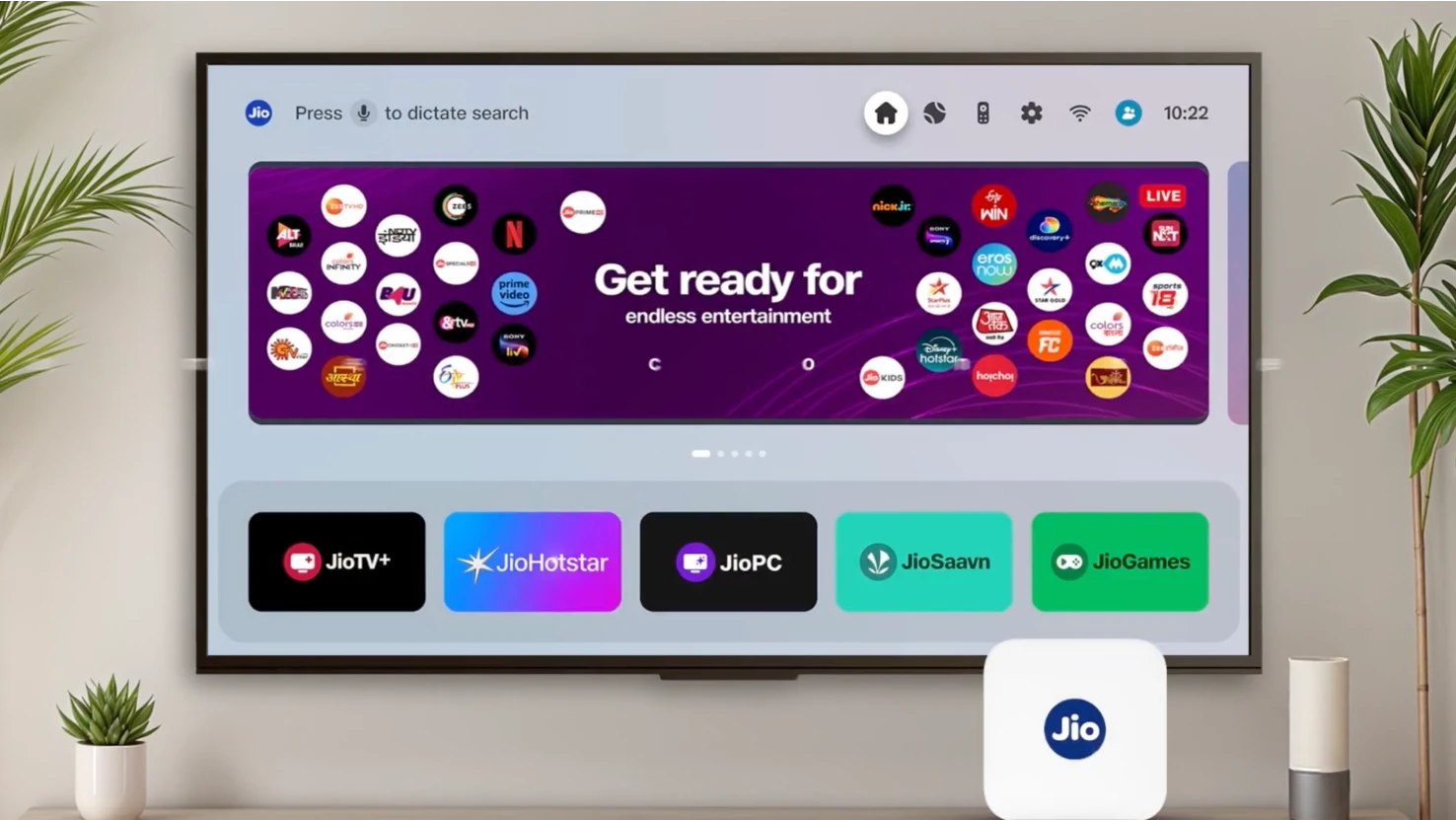
What if your TV could become a full-fledged computer?
That question is no longer science fiction; it’s now a reality via JioPC. Turn on your TV, connect a keyboard and mouse, and you suddenly have a fully functional computer just like that.
At Reliance’s 48th AGM on August 29, 2025, Akash Ambani introduced JioPC, a cloud-powered service that lets you turn your TV into a personal computer with just a Jio Set-Top Box, a keyboard, and a mouse.
Instead of buying traditional PCs or laptops, users get a ready-to-use desktop streamed from the cloud, complete with office tools, storage, and the ability to tap into Jio’s growing AI ecosystem. For students, families, and small businesses, it could mean affordable and reliable access to computing at a scale India hasn’t seen before.
What Is JioPC?
JioPC works like a computer in the cloud. All you need is your Jio Set-Top Box, a screen, and a keyboard with a mouse. That’s it, you’ve got a full PC without the bulk.
Accessibility, affordability, and digital inclusion stand as the fighting forefront of this new initiative.
All the heavy processing runs on Jio’s servers, so your screen just streams the desktop to you. Current plans come with up to 4 virtual CPUs, 8 GB of RAM, and 100 GB of storage, enough for everyday tasks like browsing, working on documents, or light editing.
The system runs on Linux/Ubuntu with LibreOffice already installed, but you can also use Microsoft 365 through a web browser. There’s even a trial of Jio Workspace for extra storage and collaboration. Additionally, JioPC is being built as “AI-ready,” meaning it will soon connect with Jio’s new AI tools and services.
Why JioPC is a Smart Initiative?
JioPC isn’t just another gadget; it’s an innovative approach to affordable computing. Turning your TV into a full PC powered by the cloud makes work, study, and everyday tasks simpler, smarter, and more accessible. Here is why JioPC matters:
Lower Hardware Barrier
- Instead of investing ₹30–50K on a basic PC or laptop, users can pay a subscription fee; basic plans start at ~₹599/month. Bonus Tip- A closer look at the available plans:
| ₹599 | 1-month plan |
| ₹999 | 2-month plan |
| ₹1,499 | 4-month (3 + 1 free) plan |
| ₹2,499 | 8-month (6 + 2 free) plan |
| ₹4,599 | 15-month (12 + 3 free) plan |
Ideal for Shared Environments
- Students and households: Families struggling to afford multiple PCs can now use a single TV as a shared digital workstation.
- Schools, training centers, and small offices: Set up multiple Jio STBs, pair keyboards, and get uniform desktops managed centrally, great for scalability and ease of maintenance.
Maintenance & Security Simplified
- Remote updates and security patches happen on the cloud. Less worry about viruses or hardware failure as Reliance maintains it.
How to Use JioPC Step by Step?
JioPC is designed for hassle-free setup. Follow these steps to get started right away:
- Step 1: Connect the Jio STB to your TV or monitor.
- Step 2: Pair a keyboard and mouse via USB or Bluetooth.
- Step 3: Sign in and launch the JioPC interface.
- Step 4: Access your desktop: LibreOffice, browser apps, cloud storage, and soon AI features.
- Step 5: Manage files in cloud storage: upload, access, sync across devices.
Pros vs. Cons of JioPC
| Advantages | Things to Consider |
| Affordable entry | Requires stable, high-speed internet |
| Scalable cloud specs | Local app compatibility may vary, primarily web-based |
| Lightweight hardware setup | Performance hinges on network latency |
| Integrates with Jio’s AI ecosystem | Pricing depends on plan tier |
JioPC and Beyond
As AI becomes more mainstream, JioPC could become a gateway for AI tools, ideal for remote learning, small business workflows, and creators needing accessible computers. Also, reports hint that JioPC could bring voice-controlled AI, stronger Jio Workspace links, and an expansion to international markets.
Final Thoughts
For years, owning a personal computer required a big investment. Now, with Reliance introducing JioPC for everyday users alongside bold new-energy initiatives, technology is becoming more affordable and accessible to everyone.
Whether you’re a student, a small business owner, or an investor, this dual narrative encapsulates why Reliance remains a company to watch, both in your living room and on the global energy stage.
- Affordability: A working PC experience at a fraction of the cost of laptops.
- Accessibility: Designed for families, students, and small businesses that share devices.
- Digital inclusion: Millions of households that never owned a computer can now access one through their TV.
FAQs
JioPC turns your TV into a fully functional, cloud-hosted computer. All you need is a Jio Set-Top Box, a keyboard, and a mouse, and no traditional desktop or laptop is required. It runs everyday tasks like web browsing, document editing, online learning, and more via the screen.
JioPC works seamlessly with a JioFiber internet connection. You just need an active JioFiber or JioAirFiber connection, a Jio Set-Top Box, a keyboard, and a mouse. Then, navigate to the JioPC app on your TV and start using the service.
Yes, if you’re a JioFiber or JioAirFiber customer, you get a free one-month trial of JioPC by invitation. After the trial, you’ll need to subscribe to continue using it.
Starting JioPC is easy:
1. Power on your TV and the Jio Set-Top Box.
2. Go to the Apps section and open the JioPC app.
3. Connect a keyboard and mouse (USB or Bluetooth).
4. Sign in, use your Jio number or create an account.
5. Click “Get Started” or “Launch Now” to enter your cloud desktop.
1. Power on your TV and the Jio Set-Top Box.
2. Go to the Apps section and open the JioPC app.
3. Connect a keyboard and mouse (USB or Bluetooth).
4. Sign in, use your Jio number or create an account.
5. Click “Get Started” or “Launch Now” to enter your cloud desktop.
To activate your JioPC, you just need to:
- Ensure you have a JioFiber or JioAirFiber connection, Jio Set-Top Box, keyboard, mouse, and an active JioPC subscription (or trial access).
- Go to the JioPC app on your STB, connect your peripherals, log in (or register), and you’re ready to use your new cloud-based computer.