Have you ever thought why WordPress is the most used blogging platform? WordPress powers 472 million websites, accounting for 43.3% of all websites. Dominating the CMS market with a 62.7% share, WordPress holds a market share ten times greater than its competitor. Furthermore, WordPress offers plugins to enhance their website’s performance and the tag-along features add value to the website ultimately making it the most preferred choice for both businesses and individuals.
Why Are WordPress Plugins Essential?
WordPress plugins are software components that can be integrated to the existing structure to add new features for the overall enhancement of the website. These plugins are indeed the backbone of the customization and functionality of any website. Be it for blogging or e-commerce businesses, custom WordPress plugin development helps you tailor your website to meet your unique requirements. Let’s understand in detail how these plugins can help you to optimize your website for better performance.
Benefits of Using Plugins

- Improved functionality: Add all your required features to your website effortlessly with WordPress plugins.
- Better performance: Accelerate your website’s speed and efficiency site speed and efficiency with caching and image optimization plugins.
- Robust security: Safeguard your site with security plugins offering malware scanning and firewall protection.
- Provision to customize: Tailor your site to match your unique needs and preferences without the hassle of coding.
- Ease of use: Simplify complex tasks, saving time and effort with easy-to-use features.
- Seamless Integration: WordPress plugins permit easy integration with third-party tools like email marketing platforms, payment gateways, and analytics services.
- Periodic updates: Keep your site up-to-date with the latest features and security enhancements through periodic plugin updates.
Risks of Overloading Plugins
Though custom WordPress plugin development services are pretty much of a boon to the website owners and users, overloading the same without analysing your requirements can be risky too. Here is how too many WordPress plugins can affect your website’s performance.
- Performance decline: Each plugin contributes to the overall code to your website, which can lead to increased downtime for loading websites directly impacting user experience and SEO.
- Security risks: More plugins mean increased potential of entry points for hackers, especially if plugins are not regularly updated with security patches.
- Compatibility conflicts: Some plugins may not work well together, causing unexpected errors or functionality issues on your site.
- Database bloat: Plugins add on to the overall data storage in your WordPress database which can slow down your site if too many plugins are active.
- Increased resource usage: Plugins often require additional server resources like memory and processing power, which can lead to issues on shared hosting plans if you have too many active users.
- Complicated governance: Keeping track of updates and managing numerous plugins can become overwhelming for website owners.
Top 5 WordPress Plugins for Every Website
With over 60,000+ WordPress plugins available today, choosing the right one can be a bit tricky. Well, our passionate custom WordPress plugin developers have made the process simple for you, here is our in-house vetted list of the top 5 WordPress plugins that can help you optimize and increase performance of your website.
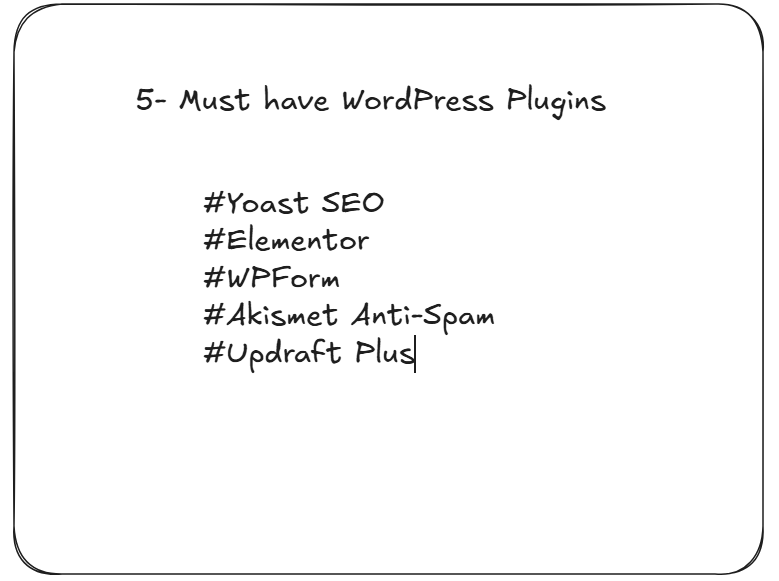
Plugin 1: Yoast SEO
For any website to rank top on search engines, your SEO should be on point and this is where Yoast SEO can make all the difference that you wish to witness on your website. With effective on-page Search Engine Optimization, Yoast SEO is a free WordPress plugin that will help you with key principles of SEO and make the content aligned with these practices.
Additionally, Yoast SEO configures SEO titles, and meta descriptions, adds structured data/schema markup, while managing your social media share cards, and more. The premium edition of Yoast SEO boasts extra helpful features and analytical tools that you can use to optimize your content for search engines, which is helpful if you’re just starting with SEO.
Plugin 2: Elementor
Elementor is a popular WordPress plugin branded as a drag-and-drop page builder. It is popularly used for its ease in designing and building websites with just a few clicks.
With its easy drag-and-drop options, even those with basic programming knowledge can do web designs. Elementor has a large number of ready-made page templates and widgets, allowing them to design and build pages quickly appropriate for the brand’s image and objectives.
Additionally, Elementor also offers advanced design capabilities such as responsive controls, custom CSS, and the ability to install other WordPress plugins, making it a great tool to complete tasks for both novices and experienced web designers.
Plugin 3: WPForms
WPForms is undoubtedly yet another much-loved WordPress plugin for its simple interface, and several form templates. With WPForms, you can create any type of form you need, including dynamic forms that adapt based on user input. This not only enhances the user experience but also improves form performance. WPForms also supports seamless payment processing through popular platforms like Stripe, PayPal, and Square. In the free version, you have all the basic form-building features. Additionally, the extended packages option allows multiple pages, adding 28 more fields, and more.
Plugin 4: Akismet Anti-Spam
Akismet is recognized as an effective anti-spam tool since it accurately detects and prevents spam comments on websites by utilizing sophisticated machine learning algorithms, comparing content to an extensive database of identified spam, and continually adapting based on user interactions to enhance its precision, thus serving as a dependable resource to eliminate spam from your site with little manual effort; especially favoured by WordPress users because of its smooth integration with the platform.
Plugin 5: UpdraftPlus
UpdraftPlus is yet another famous and helpful WordPress plugin, thoughtfully crafted for the smooth and dependable backup and restoration of your site.
It allows users to set up automatic backups of their website files and databases, ensuring continuous data protection. The plugin supports various remote storage solutions, including Google Drive, Dropbox, Amazon S3, and others.
Allowing users to safely store backups at a remote location. In the unfortunate situation of data loss or site issues, UpdraftPlus simplifies the restoration process, making it a vital resource for maintaining website stability and security.
How to Choose the Right Plugins for Your Website
With numerous plugins accessible, choosing the appropriate ones can be daunting. However, here is a checklist that can help you out in this process- always look out for:

- Compatibility and Updates: Always verify that the plugin works with your WordPress version and theme. Consistent updates show that the plugin is being actively supported and remains secure.
- User Reviews and Ratings: Examine reviews and ratings to assess a plugin’s effectiveness and dependability. Search for plugins that have a large number of favourable reviews and excellent ratings.
- Avoid Plugin Conflicts: Evaluate new plugins in a staging environment to avoid issues with current plugins or themes. Disable unused plugins to reduce risks and enhance site performance.
Elevate Your Website with the Right Plugins
WordPress plugins are essential for improving your website’s functionality, performance, and security. By enhancing SEO using Yoast SEO and creating pages easily with Elementor, these tools provide effective solutions customised for your requirements. WPForms makes it easy to create forms, Akismet protects against spam, and UpdraftPlus guarantees your data is consistently backed up safely. Every plugin contributes unique benefits, simplifying the process of creating and managing a professional website.
Selecting the appropriate plugins is crucial for optimizing their advantages. Concentrate on plugins that are compatible, highly rated, and frequently updated. Refrain from overloading your website, since excessive plugins may reduce its speed or cause conflicts. By carefully choosing and handling plugins, you can develop a website that is effective, safe, and customized to your objectives.